Hello there ! Today I tried to polish a little the item pick up I worked on (I worked for about 3 hours since I had some relatives coming over). I actually went back in Thief to check how the little "E" pops up when an item is in focus. The "E" moves around a little and adjusts its position and scale depending on where the player is. I took the code from the blueprint office and studied it. I then adjusted it so the "E" pops in when the item is in focus (rather then through a box overlap event). I also found a way to smoothly adjust the scale of the text render component depending on the distance of the player from the item in focus. I had to fiddle around a little to make the font show up correctly (font imported into UE4). If you've got any questions about it write me a comment or an email (there's a little email button near my linkedin button at the top of the site)). Here's how it looks.
|
I started by reading about the client and server relation in a networked game environment inside Unreal Engine 4. It really isn't that complicated. A server simply gives all the information needed for others to connect to the game and interact in it (either a listening server or a dedicated one). Certain events, variables and functions are "replicated" to clients through the server so they are individually aware of important changes that occurs. Through the concept of authority, you allow either the client (not often though) or the server to make changes to the game state. I previously messed around a bit with trace functions inside UE4's blueprint without achieving anything really useful but today was different. What I had in mind for today was to implement the "item pick up" mechanic. An item is highlighted when it enters an area near the middle of the screen. From the get go I knew I wouldn't be using a simple line trace since I didn't want the player messing around too much to get a single little piece of coin perfectly in focus. I used a sphere cast with a radius of 7, not too big so it doesn't overlap several items at once but enough to make it so it's not a chore to pick up a very small item. Here's a list of what I was able to achieve today.
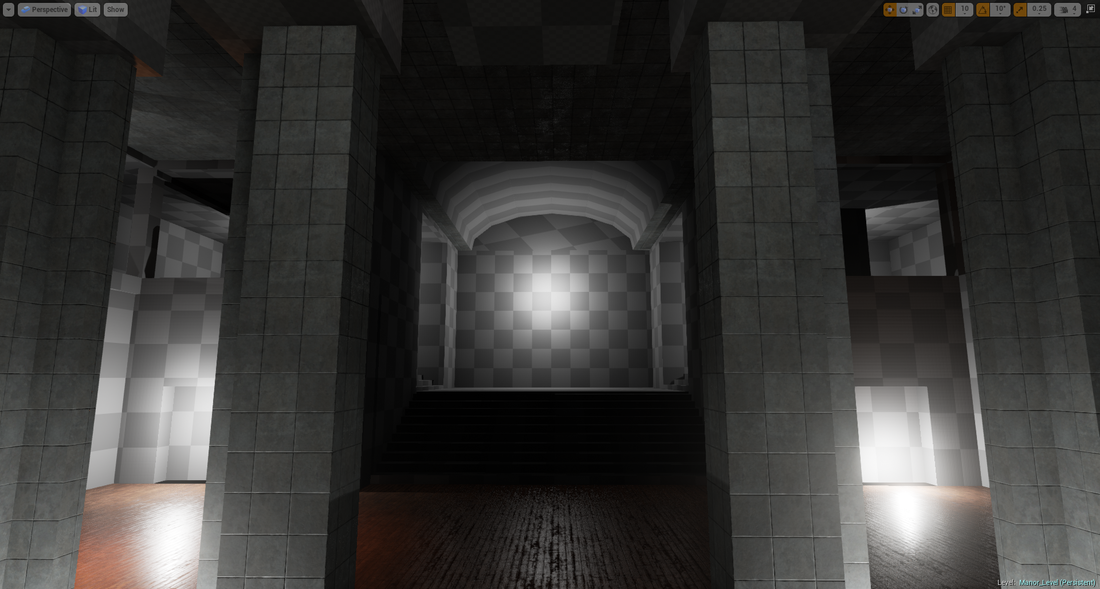
The awesome in all of that is that it works almost flawlessly and I did it in less than a day (with little prior knowledge... I do learn very quickly). Here's a video example. It looks dumb... but there's so much stuff going on in that little action, especially when it's in a networking situation. I've been quite hard at work on tech behind the game that I felt like I was slipping away from my "core" which is level design. I reviewed the block out that I made a few weeks ago and started breaking it down gameplay wise. I immediately thought "I can do a whole lot better". So I kept some ideas from this previous block out and started another one which would better support stealth and the "smooth navigation" that I had in mind. Sometimes I just have to put something on screen and take it apart later to keep only the good ideas and make something better. Also from a more environmental storytelling/art point of view, the previous environment didn't really convey that whoever was living there was excruciatingly rich and vile (simply from a geometry stand point... because you can prop out a scene a make it feel a certain way, but the result is much more powerful when it comes from both the geo and the props). As I mentioned in one of my Level Analysis, making use of very tall geometry can convey things such as power, boldness, grandeur and so I'm definitely going to use that in here. It serves both the purpose of adding verticality to the level and informing the player of who lives there (attitude wise). That a pretty rough piece of it that I worked on today. Documentation will follow (layout/ideas/notes/high concept that sort of thing). 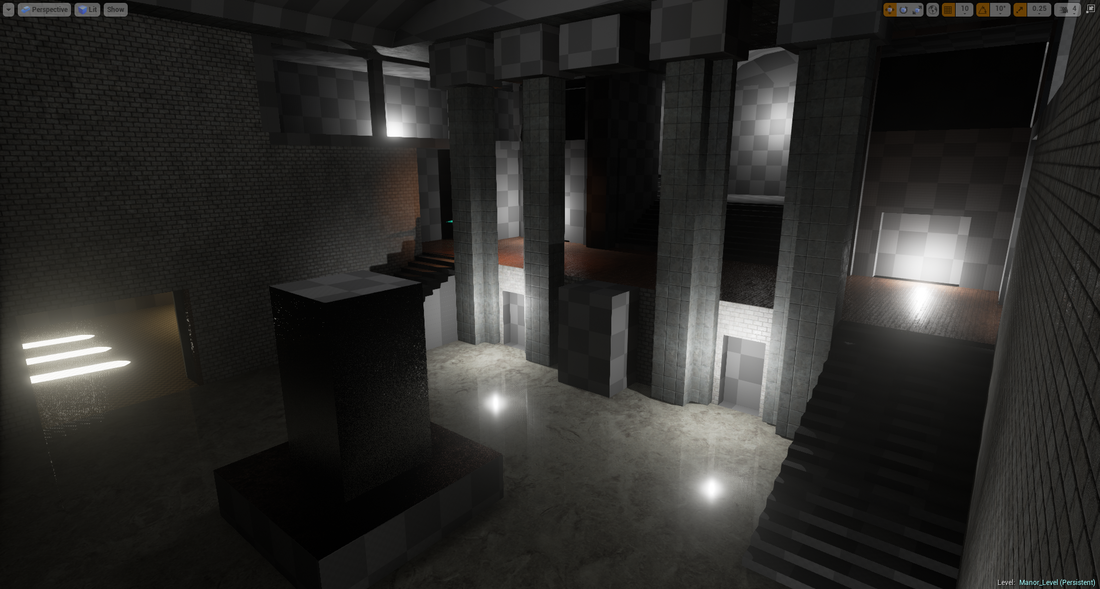
Hello there again ! Today... I found some more bugs (or things I haven't thought of) when testing out the camera motion and head-bob. I pressed both the W and S at the same time and the character stopped, which is pretty standard in most first person game (I verified Thief and Dishonored just to be sure. I thought maybe one key had precedence over the other depending which one was pressed first). I monitored myself playing Battlefield 3 and I almost never pressed both at the same time, but still it's an important thing to take into consideration. The result was that the head bob would start playing if I was previously walking. It's pretty dumb to have that walking motion and not record any type of movement. So, I added a bunch more boolean checks to make sure that if the two keys were pressed the head bob would stop and if one key was released I would know which one and continue the head bob motion accordingly. Everything is almost fool proof. I could be doing stupid movement combination and the whole thing would still feel smooth and controlled. Here's an overview of how this camera / player controller thing is going. I might start to pack up some of the BP code in functions just to tidy it up a little. When testing and creating something I like to have everything laid out in front of my eyes so it's easier to move things around. 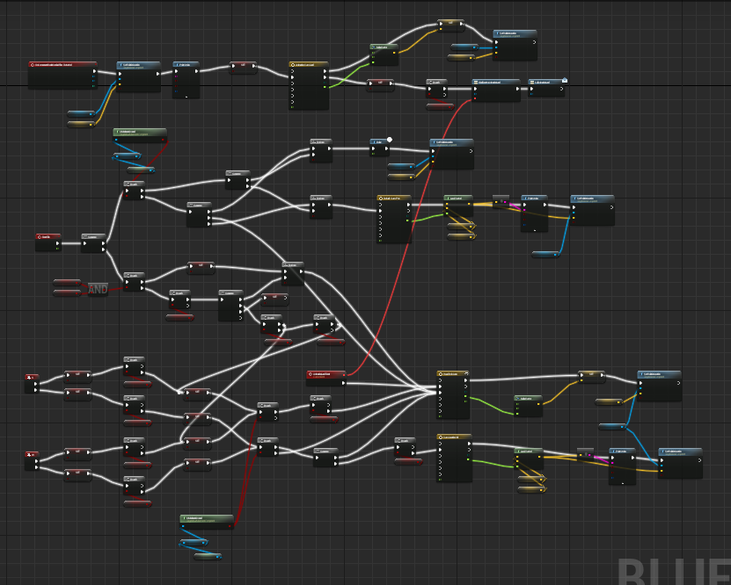 |
 RSS Feed

